Asset Cleaner helps you identify and remove unused assets in Craft CMS 5. Scan volumes, export reports, and safely delete files you no longer need.
Everything you need to keep your Craft CMS assets organized and storage optimized
See where any asset is used directly from the asset edit page. Track references in entries and content fields.
Scan volumes for unused assets with bulk actions. Results grouped by volume with file counts and total sizes.
Download CSV or ZIP of unused assets with smart filenames. Choose to preserve folder structure or flatten files.
Soft delete moves assets to trash for safe removal with recovery option. Permanent delete requires double confirmation.
Handles large files (10GB+) without memory issues. Streaming ZIP creation processes files in 8KB chunks.
Scan, export, and delete from the command line. Perfect for automation and scheduled cleanup tasks.
A clean, intuitive interface that fits seamlessly into Craft CMS
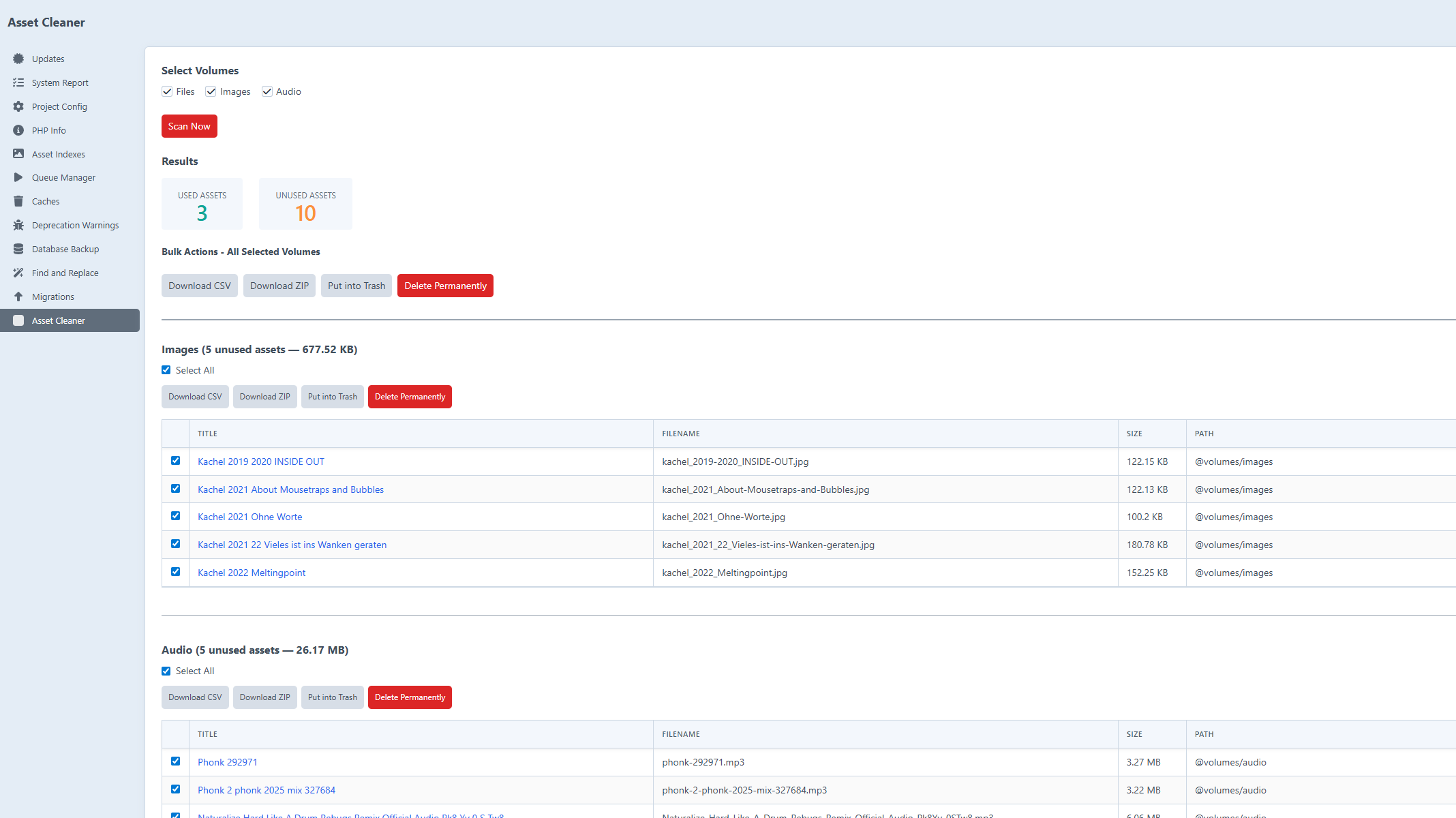
Scan volumes and view unused assets grouped by volume with file counts and sizes
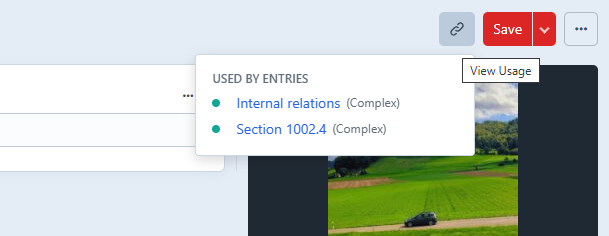
View where any asset is used across entries and content fields
Get up and running in minutes
Run the composer require command to add the plugin to your project
Install the plugin via the Craft CLI or Control Panel
Navigate to Utilities → Asset Cleaner and scan your volumes
# Install the plugin
composer require yannkost/craft-asset-cleaner
# Activate the plugin
php craft plugin/install asset-cleaner
Install Asset Cleaner today and reclaim your storage space.
Get Asset Cleaner